
Cable Television Providers that is. So Now that you have cut the cord what is next? With a Gigabit Fiber Optic Connection to the internet neither a Cable or Satellite provider is necessary to get all the television you could possibly want. But like most everything on the internet it isn’t a matter of finding enough as it is finding too much and figuring out how to take the fire hydrant flow of information and ratchet it down to a nice flow that you can consume at your own leisure.
Haystack TV

Until I discovered this App I was starting to feel that Chromecast was not all that useful. Now that I have started using this App I am looking into other Apps that tap the Chromecast device in a way that makes it much more useful than Googles direct offerings.
Chromecast

Google’s Chromecast is sort of deceptive. Certainly at $35 it is one of the cheaper devices you can buy to enable your LCD television display to act in many ways it was not originally intended to. On the surface this device is only good for consuming Googles services[ like YouTube or ‘casting’ your chrome browser content from your Desktop computer to your TV]. Similar to the Apple TV it appears to just lock you into consuming media from the company which produces the device. Upon closer inspection there seems to be a bit more than meets the eye. I expect I will continue to discover new apps that use this device in ways that I did not expect and well over time I have found this little Dongle to be quite the Gem. Please See the Article on Haystack TV to see a great use of this device.
PLEX
PLEX is based on XBMC which is itself derived from a Program called Xbox Media Player originally a product of Microsoft. Where open source development started on XBMC in 2003, Plex, which was initially just a hobby, developed in 2010 into a more ‘respectable’ Commercial product.
If your Media Library is mostly Movies and TV shows Plex may be the ticket for you, As I suggested in the XBMC article it isn’t a good pick if you have a large library of serial videos like Trainings or a large collection of home videos.
One of the main reasons this will be a big success in areas where there are ultra high speed Internet is how it allows families and friend ( neighbors to share their video library).
Where you may have poured over all those videos you pulled out of the 5 dollar bin at Walmart it may turn out that many of these are of interest to your ‘neighborhood’ network.
XBMC-Kodi
XBMC originated from Microsoft as a part of the XBOX project. XBox Media Player was it’s original name. Over the years since 2003 when Microsoft stopped development it was taken on as a Open source project and the name still lingered until recently when it has been renamed Kodi.
This Program has spawned a number of other projects and programs most notably PLEX which is also based on XBMC but over it’s history has drifted onto it’s own path. Look for a separate article on PLEX.
Since XBMC/Kodi has far more under the hood than any one user may ever take advantage of, it is truly the most customizable system available for managing your personal library of videos.
One main reason I would use Kodi over PLEX is the way Kodi helps me to manage my large library of training videos that usually run in a series and well XBMC does this really well. It allows me to easily cue up anumber of videos to watch as a playlist and then to also remember where in the list I had left off.
Roku 2
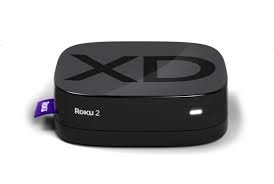
I bought a Roku 2 in early 2011 soon after buying my first Flat Screen TV. I took home an Apple TV at the time just to see which one I liked more, and despite being a loyal Apple user ( yet not exclusively) I chose the Roku 2 over the AppleTV 2. Today the Roku 3 is available and so is the AppleTV 3 and they are probably both pretty competent devices.
Whether you happen to be an All Apple household or a non Apple household will probably determine which one you choose, but one of these two devices should probably be your first choice when you start your internet TV journey. I honestly don’t think there is a single device that does it all. Instead over time I have found that I use a couple different devices.
Hulu’s Awesome Tech Support
I can’t say enough about how good customer service can make or break a deal. I still don’t know if there is really one person named Malcolm who provides support for Hulu or whether it is a just a meme that all the tech folks use to interface with the general public. In any event I have had nothing but polite and helpful support from this outfit.
I discovered how great Hulu’s service is when I was having issues with a Hulu account managed by my Roku device. Roku’s support we will say wasn’t as admirable as Hulu’s and after a day of messing with them I just cancelled my Hulu subscription that Ruku was managing and I went directly to Hulu and got an account.
Malcom not only added the month of free service that had been gifted by Paypal and canceled by Roku due to some glitch at Roku but he also added a few extra weeks of service onto my account.
Just as a general ‘rule of thumb’ go right to the service provider whenever possible instead of dealing with the intermediaries.
PCTV Blog
The Blog about Television over the internet.